
You type a sentence, wait a moment, and a full website appears. It feels like magic, but there is a clear process behind it. Knowing how AI website builders work helps you write better prompts, spot mistakes faster and choose the right tool.
This guide explains each stage in plain language: what the AI reads, what it creates, where templates fit in, and why the first draft is never the finished product. If you are new to the idea, start with our guide on what an AI site builder is.
The Short Version
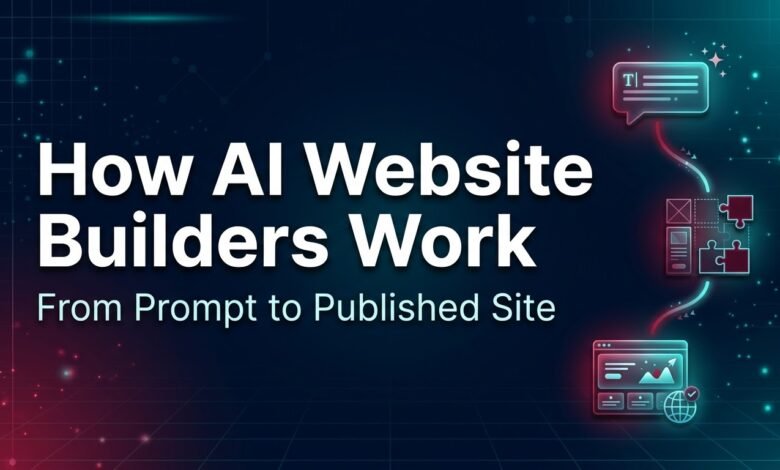
Most AI website builders follow the same five stages:
- You give the tool a prompt (a description or a set of answers)
- The AI works out your site structure
- It writes the content for each page
- It applies a design using templates and layout rules
- You edit and publish in a visual editor
The details differ between tools, but this pattern is common.
Stage 1: The Prompt (Your Input)
Everything starts with what you tell the tool. This can happen in two ways:
- A free-text prompt. You write a description such as “a simple site for a local dog-walking service with a booking form.”
- A guided questionnaire. The tool asks you questions about your business, style and goals, then turns your answers into its own prompt.
Either way, the AI treats your input as the brief. It does not know your business beyond what you tell it. A short, vague brief leaves it guessing, and guesses tend to be generic.
What helps most in a prompt:
- What the site is for
- Who it is for
- Which pages you want
- The tone (friendly, professional, playful)
- What visitors should do (call, book, buy, subscribe)
Stage 2: Planning the Site Structure
Before it writes anything, the builder decides what the site will contain. Based on your prompt, it typically chooses:
- Which pages to create (home, about, services, contact)
- What sections each page needs (a headline area, a list of services, a testimonial block, a contact form)
- How pages connect through a navigation menu
Behind the scenes, many tools do this by matching your description to common patterns. A restaurant site, for example, usually needs a menu page and opening hours. A portfolio usually needs a gallery. The AI uses these patterns to fill in what you didn’t mention.
This is also where mistakes begin. If your prompt doesn’t mention a page you need, the AI may leave it out, and if it assumes something that isn’t true for you, it will build around that assumption.
Stage 3: Generating the Content
Next, the tool writes the words. A language model, the same kind of technology used in AI chat assistants, reads your brief and produces:
- Headlines and subheadings
- Page descriptions
- Service or product blurbs
- Calls to action (“Book a call,” “Get in touch”)
- Sometimes a short About section or FAQ
Some builders also suggest or generate images, or pick them from a library.
Why AI Content Needs Your Review
A language model predicts text that fits your description. It does not check facts about your business. That means it can:
- Invent details such as opening hours, prices or locations
- Make claims you can’t support
- Sound similar to text on other sites
- Include placeholder items such as fake reviews
Always read every page before publishing. This is the most important quality step in the whole process.
Stage 4: Applying Templates and Design
Content needs a layout. This is where templates come in.
Most AI builders don’t design every pixel from scratch. They combine:
- Pre-built sections (hero banners, feature grids, pricing tables, footers)
- Design rules for spacing, fonts and color combinations
- Theme choices based on the style you picked or the mood of your prompt
The AI selects and arranges these pieces so the page looks balanced, then fills them with the content from Stage 3. Think of it like a very fast designer assembling a page from a kit of parts.
Template-Based vs Code-Generation Approaches
Not every tool builds the same way. In broad terms:
| Approach | How it works | What it means for you |
|---|---|---|
| Template-based | Assembles your site from ready-made sections and layouts | Reliable, consistent results; less unusual design freedom |
| Code-generation | The AI writes the site’s code from your prompt | More unique results possible; may need more checking and technical knowledge |
| Hybrid | Combines templates with AI-written code or content | Balance of both; features vary by tool |
Check which approach a builder uses, since it affects how much you can customize and whether you can export your site later.
Stage 5: Editing in the Visual Editor
After generation, you get an editor where you can click any element and change it. Most builders let you:
- Rewrite text directly
- Swap images
- Change colors and fonts
- Add, remove or reorder sections
- Add pages
- Ask the AI to rewrite a section or regenerate part of the page
Many tools also let you give follow-up instructions in plain language, such as “make the tone more professional” or “add a pricing section.” The AI then adjusts the draft.
Stage 6: Hosting, Domain and Publishing
Most AI builders include hosting, so publishing is a single step. You usually choose between a free subdomain from the builder or your own custom domain. The tool then makes the site live.
If you build on WordPress instead of an AI builder, you add features through plugins. See our list of essential WordPress plugins for new sites to learn what a new site needs.
What the AI Is Not Doing
Understanding the limits is part of understanding the process. An AI website builder does not:
- Know your business. It only knows what you wrote.
- Check facts. It generates likely text, not verified text.
- Guarantee good search results. SEO still needs original content, clear page titles and a useful site.
- Replace your judgment. You decide what is accurate, on-brand and ready to publish.
Why Two Builders Give Different Results from the Same Prompt
If you try the same prompt in two tools, the results can look very different. That happens because builders differ in:
- The language models and instructions behind them
- Their template libraries and design rules
- The features they support (blog, store, booking)
- How much of the process they automate
This is why a comparison before you commit is worthwhile.
Tips for Getting Better Results
- Be specific in your prompt. Specific input gives you a better first draft.
- Prepare real information first. Names, contact details and service descriptions beat guessed ones.
- Generate more than once. If the first result is weak, refine the prompt and try again.
- Edit the headline and first paragraph yourself. These shape the visitor’s first impression.
- Review for accuracy. Check every number, address and claim.
- Test on mobile before publishing.
Frequently Asked Questions
How do AI website builders work in simple terms?
You describe your site, the AI plans the pages, writes the text, applies a design from templates and layout rules, and gives you an editor to refine and publish the result.
Does an AI website builder write the code?
It depends on the tool. Some assemble sites from pre-built, tested components, and others generate code from your prompt. Check the builder’s documentation to see which it uses.
Are AI website builders using templates?
Many do. Templates provide the structure and visual style, and the AI customizes them with your content and preferences. This is why generated sites can look polished even from short prompts.
Why does my AI-generated site look generic?
Usually the prompt was too vague, or the default content was left unedited. Add specific details, rewrite key sections in your own voice and use your own images.
Can the AI make mistakes about my business?
Yes. It can include wrong or invented details. Read every page and correct anything inaccurate before you publish.
Do I need to know how AI works to use a builder?
No. You only need to describe your site clearly and review the result. Knowing the process simply helps you get better drafts.
Can I change my site after the AI generates it?
Yes. Every builder offers an editor, and many also let you request changes with follow-up prompts.
Conclusion
Understanding how AI website builders work makes them easier to use well. The process is simple: a prompt, a planned structure, generated content, a template-based design and an editor for your changes. The AI does the fast first draft, but you provide the accurate details and the final review. Give clear instructions, check everything and edit with your own voice, and you will get far better results.